This article was also published on my LinkedIn profile here
I read an article yesterday about someone losing their Apple ID, and it hit close to home. The exact same thing had happened to me 2 months prior.
I purchased two gift cards to pay for iCloud and other Apple subscriptions, only to find the media portion of my account deactivated shortly after. I tried everything to fix it. I used the live chat. I called support. Every interaction ended with the same cold response: make a new account and follow the terms next time.
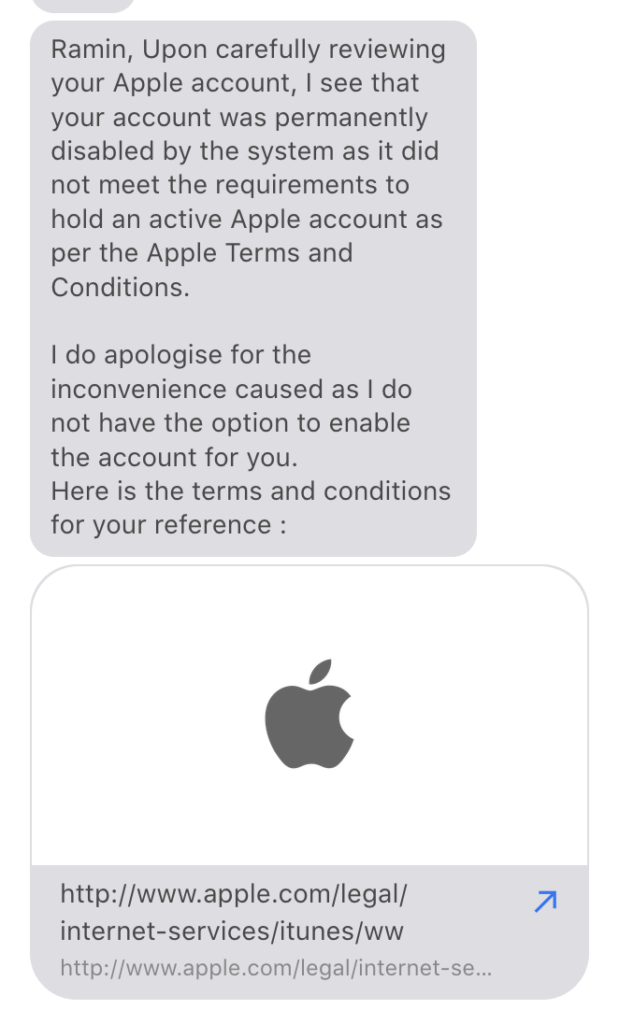
It is a humbling and frustrating experience for a grown adult to have to plead for their account back. I had had the Apple account since 2010. It feels even worse when you realize there is no actual path to resolution. If I saw any hope in fighting it, I would have kept trying, but the door was shut.
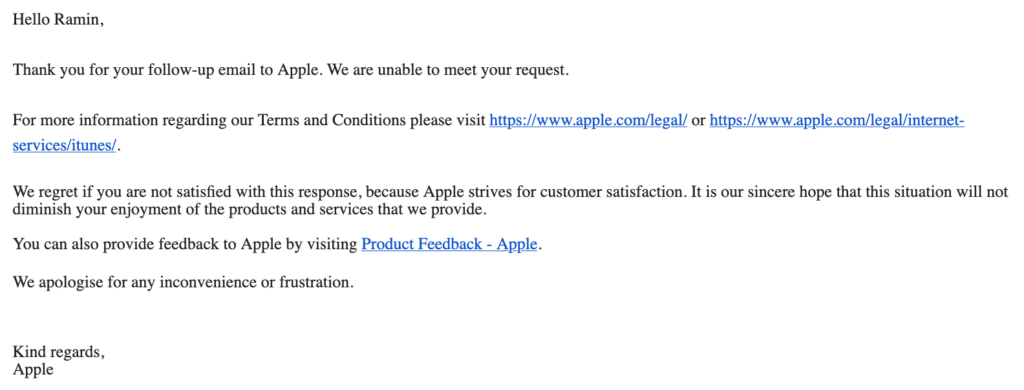
I lost a lot, and before you Apple fanboys come after me, know that it can happen to you too.
Because I used “Sign in with Apple,” I lost access to my Telegram account. I tried paying for a month of Premium, first so I could receive an SMS with a restore code, and also in the hopes of being able to contact support, but I couldn’t unlink it.
I lost apps I had paid for lifetime access to. I lost hundreds of movies and TV shows purchased over the years from iTunes and the App Store.
I have generally always prioritized self-hosting over buying services from companies, but this forced me to be even more thoughtful in how I operate. I still use a MacBook Pro, but I no longer log into iCloud on the machine. My philosophy now is simple: never put all your eggs in one basket.
We shouldn’t give blind loyalty to trillion-dollar companies. They are happy to take our money, but when the systems lock you out, the customer service simply isn’t there. If it happened to me, it can happen to you. There is also no consumer protection for such cases, at least not in Namibia. Europeans now have better autonomy and can choose alternative App stores on their Apple devices.
Here is what I learned and how I have restructured my digital setup to be safer and more flexible:
Buy directly from developers
Whenever possible, buy apps from the developer’s website rather than an app store. This usually puts more money in their pocket and ensures your license isn’t tied to a specific platform account.
Prioritize cross-platform tools
If you switch from macOS to Windows or Android, your software should go with you. If an app only works on one operating system, I try to avoid it.
Specialization matters
Use services from companies that specialize in that specific thing. For example, 1Password makes a fantastic password manager because that is their entire focus.
Self-hosting is a viable option
Losing my media library pushed me to Jellyfin for movies and TV shows, and the experience has been amazing. For my music, including a lot of obscure tracks collected over decades, I moved to Plexamp. I can access my music anywhere, and I own the files.
The Phone Dilemma
We unfortunately lack real competition in the mobile phone space. Google and Android have their own downsides and, arguably, aren’t much better when it comes to control. We desperately need better options.
Alternatives
I have compiled a list of alternatives I now use to keep my data independent and secure. I have mentioned Proton below, and though they have great ideals and protections in place, again, putting your eggs in one basket does make me nervous. Google services are mentioned too, because they can be hard to beat (Google Sheets is an example where the scripting functions give me a lot of functionality hard to reproduce in other services). But again, you could probably lose your Google account just as easily as you can lose your Apple account.
Also, the self-hosted options may seem daunting for many. Still, many of them can be easily and instantly spun up on PikaPods or with a bit more technical know-how, using Docker on your own NAS or server (maybe a Mac Mini running Asahi Linux?).
Photos
- Immich (Self-hosted)
- Ente – Can be a bit expensive if you have a large library
- Proton Drive – Fully Encrypted, but still a poor experience on iOS
- Google Photos
Music
- Plex / Plexamp (Self-hosted, better with a Plexpass and can be accessed from anywhere, even behind a CGNAT with automatic relaying)
- Spotify (Great for discovering new music)
Journaling
Password Management
- 1Password
- Proton Pass
- Vaultwarden (Self-hosted), or Bitwarden
File Sharing (Airdrop Alternatives)
- Blip
- Localsend
- Worth noting: Google Pixels now have Airdrop support
Calendar
- Fantastical (Has a Windows app)
- Google Calendar or Proton Calendar (Web-based)
Podcasts
Notes
- Obsidian (Files remain local and in your control)
- Notion – probably worth mentioning that I have read reports of people losing their Notion accounts too.
Maps
- Google Maps (Still offers better data than Apple Maps)
Office Suite
- Proton Docs / Sheets
- Google Docs / Sheets
- LibreOffice
Universal Clipboard
- Pushover (With a bit of technical knowhow)
- PasteApp has an option to purchase via their website, but the iOS version is locked to the Apple App Store only.
Do let me know about other alternatives, or your own horror stories.