If you bank with Bank Windhoek and you’ve tried importing your transaction history into a personal finance app like Actual Budget, you’ve probably hit a wall. The OFX files the bank generates aren’t quite OFX-compliant, which means most apps either reject them outright or import the data incorrectly.
There are two specific problems. First, the <TRNTYPE> tag uses DR and CR to indicate debits and credits, when the OFX standard requires the full words DEBIT and CREDIT. Second, debit amounts are exported as positive numbers rather than negative, so your expenses appear as income.
Neither issue is catastrophic on its own, but together they make the file unusable without some manual fixing, which gets old fast if you’re doing this every month.
To solve this, I built a small browser-based tool called bw-ofx-fixer. You open it in your browser, drop in your OFX file, and it spits out a corrected version instantly. It handles both issues — fixing the transaction type labels and flipping debit amounts to negative. You can copy the result to your clipboard or download it as a file, and then import it wherever you need it.
I know how sensitive financial data is – so the whole thing runs client-side, meaning your financial data never leaves your browser. No server, no account, no tracking. The file is in HTML, and you can see the code for yourself.
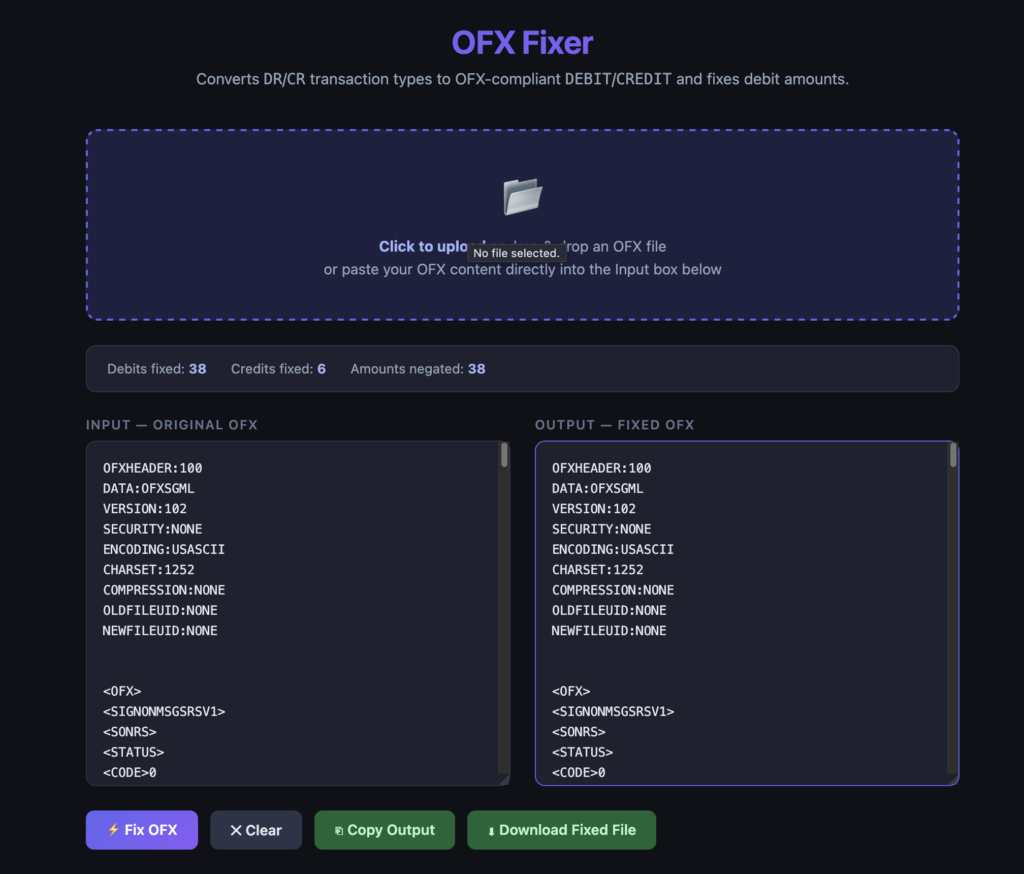
If you’re a Bank Windhoek customer dealing with this same headache, you can grab the tool here: github.com/raminhossaini/bw-ofx-fixer or run the tool directly here https://bw-ofx-fixer.ramin.io